Set a spending limit and see what is left
A vault holds the expenses for one part of your spending, such as groceries, a trip, or a client job. Give it an amount and a period. CatatKoin shows what you spent, what is left, and how many days remain.
Create your first vaultFree plan. Create an account and add a vault in under a minute.
What it does
Two kinds of vault
A time-bound vault has a start date and an end date, for a trip or a job. An open-ended vault runs without an end date.
A fresh start each period
An open-ended vault can reset every month, quarter, or year. The reset history keeps the spending of each completed period.
Progress you can read
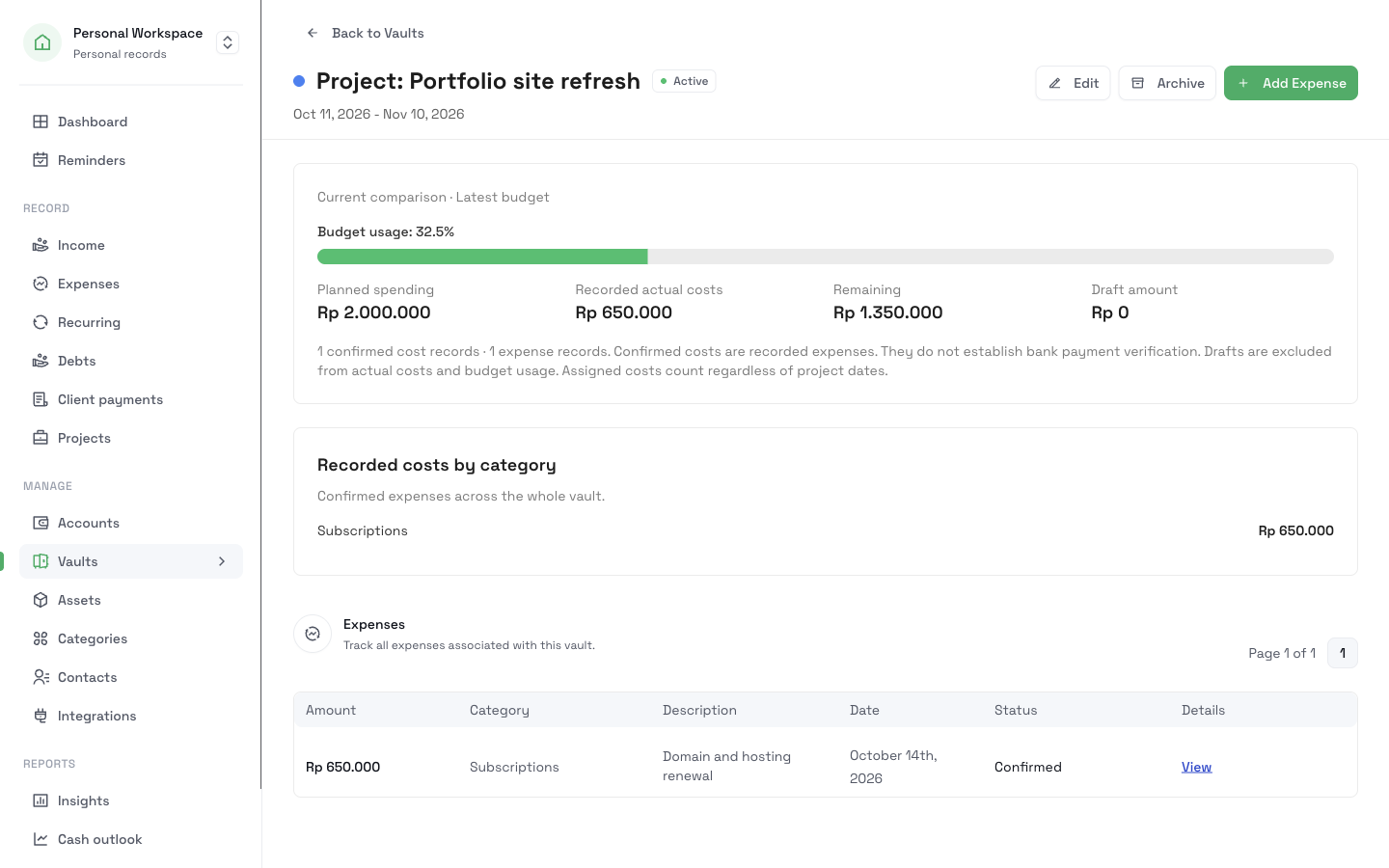
Each vault shows the amount spent, the amount left, and a progress bar. A time-bound vault also shows the days left and a daily average.
Categories that follow the vault
Link a category to a vault. Each expense that you add to the vault then gets that category.
How it works
- 1
Open Vaults and create a vault. Enter a title, the amount you plan to spend, and a color.
- 2
Choose the vault type. For a time-bound vault, enter the start date and the end date. For an open-ended vault, choose Monthly, Quarterly, Yearly, or No reset.
- 3
Optional: choose a linked category.
- 4
Add expenses to the vault from the expense form, from Telegram, or from the API.
- 5
Open the vault to see its progress, its expenses, and its reset history.
What it does not do
- A vault does not hold money. It groups expenses, and your money stays in your bank or wallet.
- It does not move money between vaults or accounts.
- It does not stop a payment. If you spend more than the limit, the vault shows it.
Related pages
Stay within a budget
Give each part of your spending a limit, log expenses as they happen, and see what is left. Review the month by category in CatatKoin.
Read moreTrack project costs and collections
Give each client job a page with its vault, recorded costs, charges, and collected payments. Split one payment across jobs and export a private CSV.
Read moreExpense tracking
Log expenses in seconds from the web, Telegram, or the API. Sort them into categories and vaults, review drafts, and export a CSV. No bank login needed.
Read moreProjects
Give each client job a page with its planned spending, recorded costs, client charges, and collected payments. Split one payment across jobs.
Read moreKnow what is left before you spend it
Give your groceries, your trip, or your next job a vault. Then each expense shows how much room is left.
Create your first vault