Know what each account holds, and move money between them
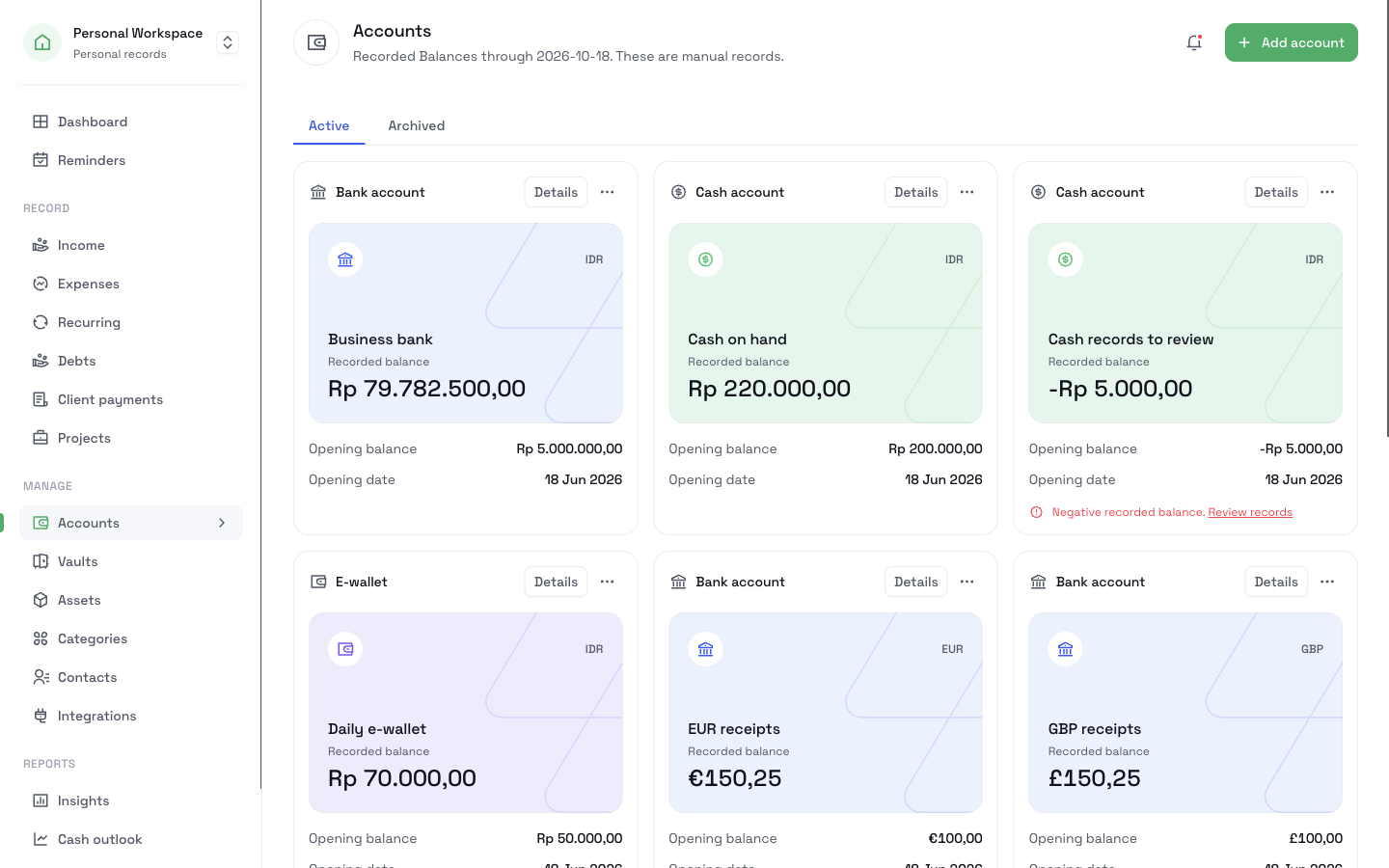
Add each bank account, e-wallet, and cash wallet you use. Each account has a recorded balance that follows the money you record. When you move money between two accounts, record a transfer, and both balances change.
Add your first accountFree includes one money account. More accounts and transfers need CatatKoin Pro. Create an account to start.
What it does
One account for each place your money sits
Choose cash, bank, or e-wallet. Enter a name, a currency, an opening balance, and an opening date. CatatKoin supports IDR, USD, EUR, GBP, SGD, and MYR.
A recorded balance that follows your records
The balance starts at the opening balance. It goes up with each record of money in, and down with each record of money out. Pick an earlier date to see the balance on that day.
Transfers between your own accounts
A transfer moves money from one account to another. It changes both balances. It is not income and it is not an expense, so your totals stay true.
Income and payments land in the right account
Each Income record names the receiving account. You can also record the account that paid an expense, and any other inflow or outflow, such as a fee or a correction.
A warning for a negative balance
A balance below zero shows a warning and a link to review the records. A missing record often causes it.
Archive an account you stop using
An archived account keeps its history and its balance. It takes no new records. You can restore it later.
How it works
- 1
Open Accounts and click Add account.
- 2
Choose the account type and the currency. Enter a name, the opening balance, and the opening date.
- 3
To record money you received, open the account and click Record Income.
- 4
To move money between two accounts, click Record Transfer. Choose the From account and the To account, enter the amount, and enter the date.
- 5
Open an account to read its recorded balance and its movement history. Change the As-of date to see an earlier balance.
- 6
If you stop using an account, click Archive.
What it does not do
- It does not connect to your bank. You enter each record, so the balance is a record and not a bank statement.
- It does not move real money. A transfer here records a move that you made somewhere else.
- It does not convert currencies. A transfer needs two accounts with the same currency.
- It does not accept records dated in the future, or dated before the opening date of the account.
- It does not show money that you can safely spend. It shows the balance that you recorded.
Related pages
See your cash before it runs short
Plan upcoming bills, client payments, and transfers. See each account's daily balance for the next 7 or 30 days and find a shortfall before it happens.
Read moreTrack client payments
Record received client payments in the right account. Review income by date or source, see recorded balances, and correct payment details in CatatKoin.
Read moreCash outlook
See each account's estimated daily balance for the next 7 or 30 days. Plan expected payments and find the first day an account goes below zero.
Read moreIncome
Record each payment you receive with its date, source, and receiving account. Filter by account, source, or dates and see totals for each currency.
Read moreKeep every account in one place
Add the accounts you use today. Then record each payment and transfer as it happens, and read the balance of each account at any time.
Add your first account