Log what you spend, without connecting your bank
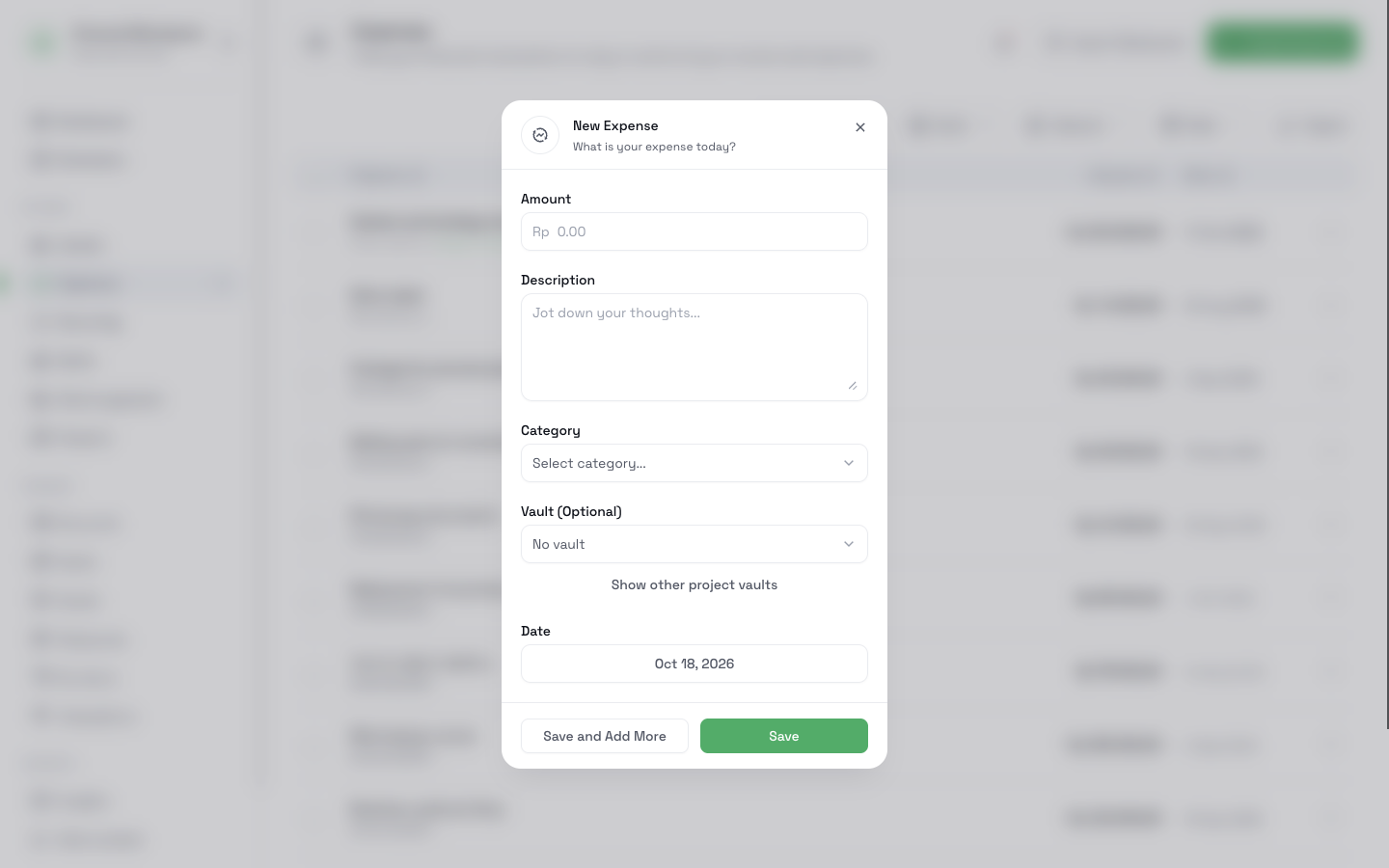
Add an expense in a few seconds from the web app, from Telegram, or from your own tools through the API. Each expense has an amount, a date, a category, and an optional vault. You decide what goes in, and CatatKoin never asks for your bank login.
Start tracking for freeFree plan with no limit on expenses. Create an account and log your first expense.
What it does
Quick logging from anywhere
Use the expense form on the web, the CatatKoin bot on Telegram, or the API. All of them add to the same list.
Categories from the start
More than 30 default categories cover food, transport, housing, and more. You can add your own categories too.
A review step for drafts
A recurring cost or an API entry can arrive as a draft. A draft does not count in your totals until you confirm it.
Find and export
Filter by date, category, vault, or amount range. Export the results to a CSV file that opens in Excel or Google Sheets.
How it works
- 1
Open Expenses and open the New Expense form. Enter the amount, the date, and a description.
- 2
Choose a category. Optional: choose a vault.
- 3
To log from your phone, connect Telegram on the Integrations page.
- 4
To find an expense, filter the list by Date Range, Categories, Vaults, or Amount Range.
- 5
Select several expenses to change their category, vault, or date together. Click Export to download a CSV file.
What it does not do
- It does not connect to your bank or import transactions by itself. You add each expense, or you import a bank statement with Pro.
- It does not scan receipts or store receipt photos.
Related pages
Stay within a budget
Give each part of your spending a limit, log expenses as they happen, and see what is left. Review the month by category in CatatKoin.
Read moreTrack project costs and collections
Give each client job a page with its vault, recorded costs, charges, and collected payments. Split one payment across jobs and export a private CSV.
Read moreVaults
Set a spending limit for groceries, a trip, or a client job. See what is spent and what is left, with monthly, quarterly, or yearly resets.
Read moreWorkspaces
Keep personal and business money apart with private Workspaces. Switch with one click, move records with a preview, and archive a finished business.
Read moreTelegram and API
Send a message like 50k lunch to the CatatKoin bot and it saves the expense. Connect your own tools through the API. No bank login needed.
Read moreExport and sharing
Download your expenses as a CSV file, or share one month of confirmed expenses as a read-only link and turn it off at any time. Both are free.
Read moreKnow where your money goes this month
Log each expense as it happens. At the end of the month, the list and the totals show where the money went.
Start tracking for free