Know which bills are coming before they are due
List your subscriptions, bills, and installments once. CatatKoin shows what is due each day in a calendar, up to twelve months ahead. It also adds the expense on the due date and reminds you before it.
Add your first recurring billFree plan. Create an account and add a bill in under a minute.
What it does
A schedule for each bill
Choose weekly, monthly, quarterly, or yearly. Set a start date. If the bill ends, set an end date.
Fixed or estimated amounts
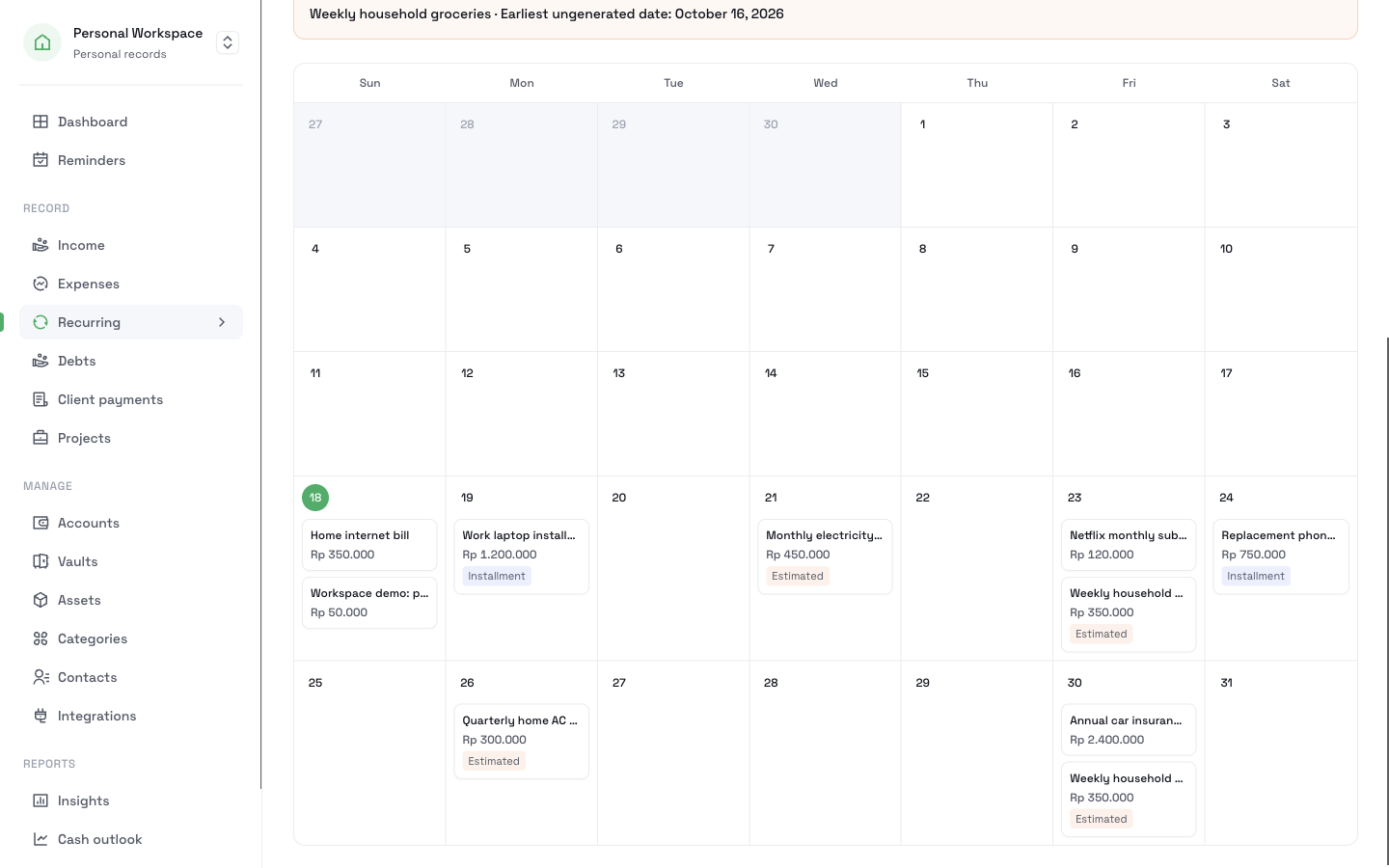
A rent payment stays the same. An electricity bill changes. Mark the second kind as estimated, and the calendar labels it Estimated.
Installments
Mark a bill as an installment or loan and enter the number of payments. CatatKoin tracks how many payments remain.
A calendar of what is due
See each bill on its date, month by month. Filter by fixed amounts, estimated amounts, or installments. Each month shows a subtotal for each currency.
Reminders
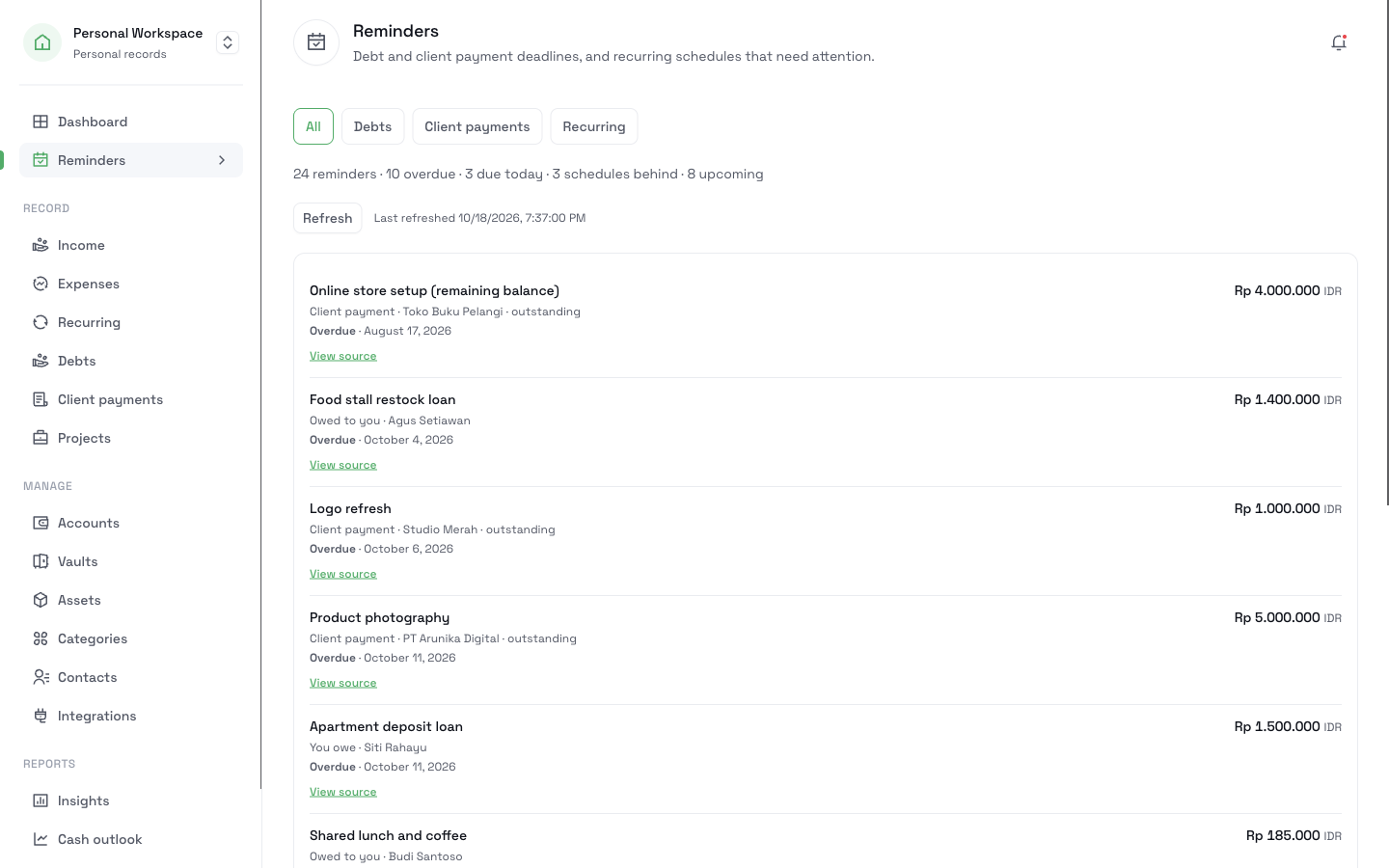
Choose how many days ahead a bill shows on your Reminders page, from 0 to 30. If you leave it blank, CatatKoin uses 7 days.
The expense adds itself
On the due date, CatatKoin adds the expense. Turn off automatic posting, and the expense arrives as a draft that you confirm.
How it works
- 1
Open Recurring and add a new one. Enter a title, an amount, and a category.
- 2
Choose the Frequency and the Start Date. Choose the Amount Type: fixed or estimated.
- 3
Optional: set an end date, set the reminder lead time, or mark the bill as an installment and enter the number of payments.
- 4
Keep Automatically post to transactions on due date on, or turn it off to review each expense first.
- 5
Open the calendar view to see the next twelve months. Open Reminders to see what needs attention now.
What it does not do
- It does not pay a bill. It records the expense, and your money stays where it is.
- It does not read your bank. If a price changes, you change the amount.
- It does not show dates more than twelve months ahead in the calendar.
- On the Free plan, Reminders lists your recurring bills. Debt and client payment deadlines in Reminders need Pro.
Related pages
Keep track of subscriptions and bills
List your subscriptions, bills, and installments once. See a calendar of what is due, mark changing amounts as estimates, and get reminders in CatatKoin.
Read moreCash outlook
See each account's estimated daily balance for the next 7 or 30 days. Plan expected payments and find the first day an account goes below zero.
Read moreStop finding out about a bill on the day it is charged
Add the bills you pay every month, every quarter, or every year. Then open the calendar to see what is coming.
Add your first recurring bill