Record the money you receive
When money arrives, write it down once. Each record has a title, an amount, the date you received it, and the account that received it. CatatKoin keeps a total for each currency and lets you filter by account, source, or dates.
Record your first incomeFree plan. Create an account and record a payment in under a minute.
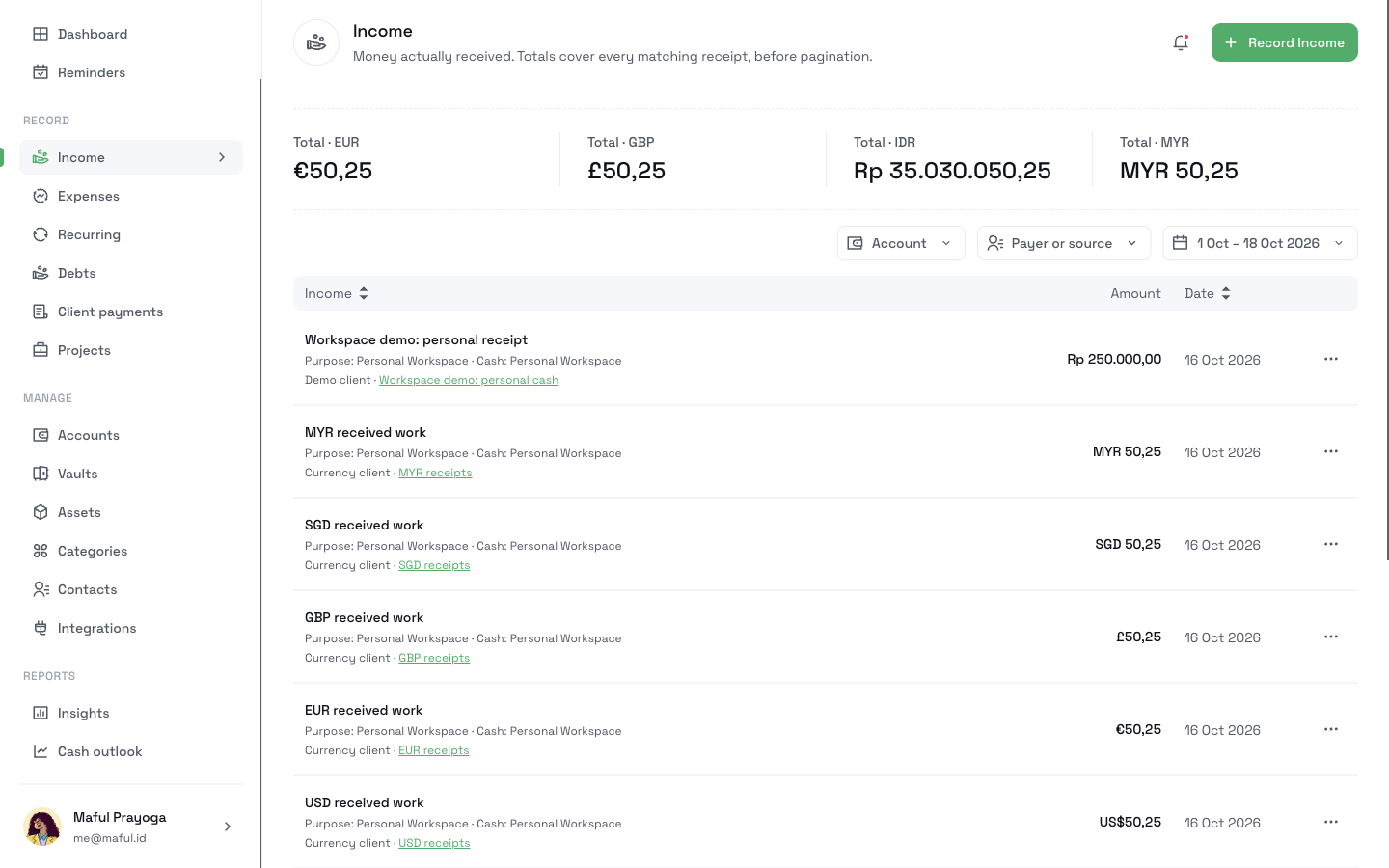
What it does
One record for each payment
Enter a title, an amount, a received date, and the receiving account. For more context, add the payer or source and a note.
Totals for each currency
The page shows one total for each currency. CatatKoin never adds two currencies together.
Filters that match the totals
Filter by account, by payer or source, or by a range of received dates. The totals cover every matching record, not only the rows on the page.
Corrections that carry through
Change the amount, the date, or the source later. The balance of the account and your totals update to match.
How it works
- 1
Open Income and click Record Income.
- 2
Enter a title, an amount, and the received date. Use the day the money arrived, not the day you record it.
- 3
Choose the receiving account. Optional: enter the payer or source and a note.
- 4
Save the record. It appears in the list, and the total for its currency goes up.
- 5
To review a month, use the Account, Payer or source, and date filters.
What it does not do
- It records money that arrived. It does not record money you expect. A client charge or a plan is a separate record.
- It does not count a loan, a refund, or a transfer between your own accounts as income.
- It does not create invoices.
- It does not read your bank. You enter each payment.
- It does not convert one currency to another.
Related pages
Track what clients owe
Add client charges, record each payment you receive, and see what is still outstanding. Close unpaid balances and export a CSV in CatatKoin.
Read moreTrack client payments
Record received client payments in the right account. Review income by date or source, see recorded balances, and correct payment details in CatatKoin.
Read moreKnow what you received this month
Record each payment on the day it arrives. At month end, filter by date and read the totals.
Record your first income